
What Is CNC Routing? The Basics Explained
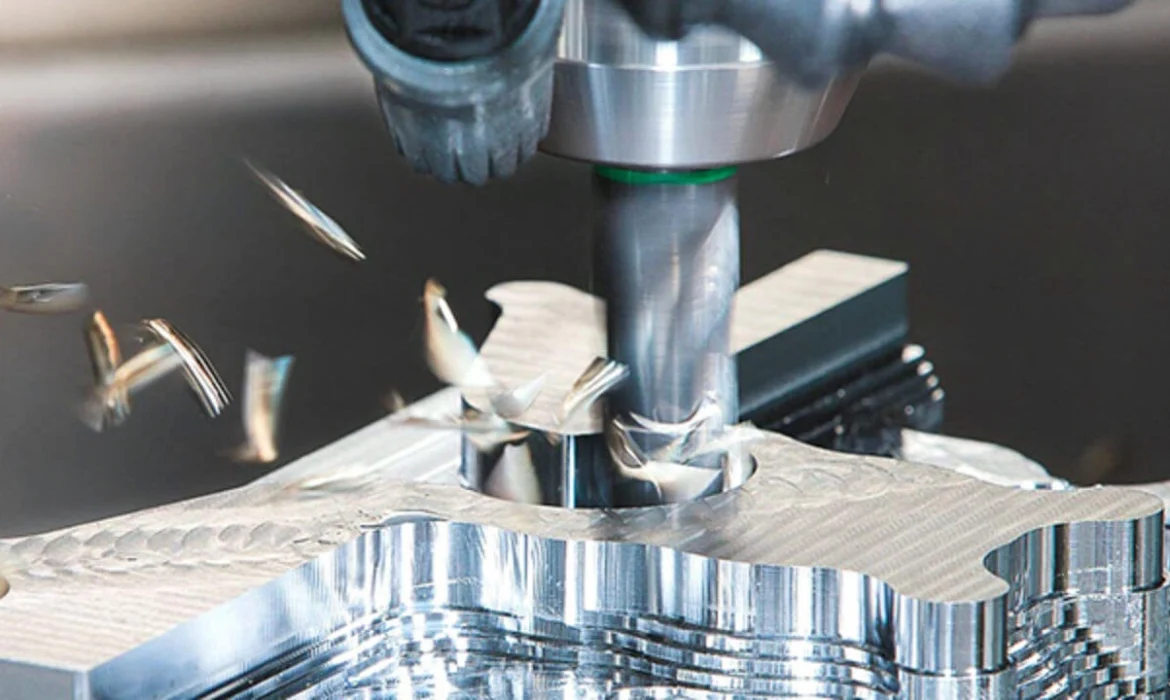
CNC routing is a modern manufacturing process that uses computer numerical control (CNC) technology to automate the cutting, carving, and shaping of various materials. Unlike traditional manual routing, which relies on hand-operated tools and skill, CNC routing transforms digital designs into precise physical parts with minimal human intervention.
Originally, routing was done by skilled craftsmen using hand tools or mechanical routers. The shift to CNC routing revolutionized the industry by introducing computers to control the tool’s movement, significantly improving accuracy, repeatability, and speed.
At its core, CNC routing involves converting digital designs created in CAD (Computer-Aided Design) or CAM (Computer-Aided Manufacturing) software into a language called G-code. This G-code directs the router’s toolpaths, telling the machine exactly where, how fast, and how deep to cut. This automated process reduces guesswork and mistakes common with manual routing.
Key differences from traditional routing include:
- Precision: CNC routers follow exact programmed paths, delivering consistent results.
- Efficiency: Automated operation allows for faster production with less manual labor.
- Versatility: CNC routing handles complex designs and 3D contours that are difficult by hand.
- Repeatability: Easily reproduce identical parts for batch production.
Understanding the fundamentals of CNC routing is essential if you’re looking to embrace modern cutting techniques, whether for woodworking, plastics, metals, or composites. This automated process brings advanced precision and flexibility to your projects beyond the reach of manual routing methods.
How Does a CNC Router Work?
A CNC router works by automating the cutting and shaping of materials using a set of key components. These include the frame or bed, which supports the material; the gantry that moves the cutting tool; the spindle that holds and spins the cutting bit; motors (usually stepper or servo) that control movement; the controller that interprets instructions; and the cutting tools themselves.
Here’s the typical workflow for CNC routing: First, you create a design using CAD (Computer-Aided Design) software. Next, that design is imported into CAM (Computer-Aided Manufacturing) software, which generates toolpaths and converts them into G-code—the language a CNC router understands. The G-code is then uploaded to the machine’s controller. After setting up the material securely on the router bed, the machine follows the programmed toolpaths to cut, carve, or engrave the material. Finally, any necessary finishing touches are applied to perfect the piece.
Most standard CNC routers operate on three axes (X, Y, and Z), allowing movement left to right, front to back, and up and down. More advanced machines may offer 4- or 5-axis capabilities, which provide added flexibility for complex shapes and angles. Spindle speeds vary depending on the material and tool, typically ranging from a few thousand to over 20,000 RPM.
This precise control over movement and speed enables high-quality results across various materials, making CNC routing a reliable choice for both hobbyists and professionals looking for consistent and repeatable cuts. For those interested in precision during manufacturing, understanding the integration of software and hardware in CNC routing is crucial, as explained in this detailed guide to precision in manufacturing.
Materials Compatible with CNC Routing

CNC routing works great with a wide range of materials, making it a versatile choice for many projects.
- Soft materials: These include hardwood, plywood, MDF, foams, and various composites. These are some of the easiest to work with on a CNC wood routing machine and are commonly used for furniture, cabinetry, and decorative carvings.
- Plastics and acrylics: Materials like ABS, polycarbonate, and PVC are also well-suited for CNC routing. These plastics carve cleanly and are popular in signage, prototypes, and custom parts.
- Soft metals: Aluminum and brass can be routed with the right tooling and machine setup. Though not as hard as steel or titanium, soft metals require careful handling for precision CNC cutting.
- Other materials: Specialized CNC routers can handle glass, stone, and fabrics, but these often need custom setups or machines designed for these unique materials.
Knowing what materials a CNC router can cut depends on your machine’s spindle power, tooling, and the type of router. For more details on compatible metals and plastics, check this guide on materials a CNC machine can cut.
This broad material compatibility is why CNC routing remains so popular across industries from woodworking to custom manufacturing.
Common Applications and Uses of CNC Routing
CNC routing is incredibly versatile and widely used across many industries thanks to its precision and automation. One of the biggest applications is woodworking—it’s perfect for crafting detailed furniture, cabinetry, door carvings, and decorative moldings. The ability to accurately carve and shape wood makes CNC routers a staple in custom carpentry shops and larger furniture manufacturing facilities.
Another popular use is sign making and engraving. CNC routers can cut and carve letters, logos, and intricate designs on various materials, including wood, plastic, and aluminum. This capability is essential for producing eye-catching commercial signs and personalized engravings.
In prototyping and product development, CNC routing speeds up the process of turning digital designs into physical parts. Designers and engineers use CNC routers to create functional prototypes quickly, allowing for testing and refinement without the need for expensive molds or tooling.
Industries like aerospace, automotive, and architecture also depend on CNC routing to make specialized components. These sectors benefit from its ability to produce precise, repeatable parts from a variety of materials, sometimes including soft metals like aluminum and brass.
You’ll also find CNC routing playing a role in crafting musical instruments, decorative items, and custom fixtures, where detailed carving and consistent quality are key.
For businesses looking to optimize production or create custom designs, professional CNC routing services offer tailored solutions that handle everything from small jobs to large-scale manufacturing. This makes CNC routing an accessible option for a wide range of projects across different markets.
CNC Routing vs. CNC Milling: Key Differences
Understanding the difference between CNC routing and CNC milling can help you choose the right process for your project. Here’s a simple breakdown:
| Aspect | CNC Routing | CNC Milling |
|---|---|---|
| Material Type | Soft materials like wood, plastics, soft metals (aluminum) | Hard metals like steel, titanium, and other rigid materials |
| Speed vs. Torque | High-speed cutting with less torque | Lower speed but high torque for heavy cuts |
| Precision | Good precision, ideal for moderate tolerances | Higher precision and tighter tolerances |
| Machine Structure | Larger bed, lighter frame, faster spindle speeds | Heavier, more rigid build for vibration control |
| Typical Uses | Woodworking, sign making, plastics, cabinetry | Metal parts machining, aerospace and automotive components |
CNC routers excel in processing larger sheets of soft materials quickly, making them perfect for wood routing and plastics. Milling machines, on the other hand, are built for tougher jobs requiring stronger cutting forces and finer detail, like metal components.
For those exploring the best tool for their needs, knowing these differences is crucial. If you want to dive deeper, understanding other CNC machining types like turning and milling can also clarify the scope of each technology’s strengths. You might want to check out more on CNC turning and milling for detailed comparison.
CNC Routing vs. Laser Cutting: When to Choose Each
CNC routing and laser cutting are both popular for shaping materials, but choosing the right one depends on your project’s needs. Here’s a simple comparison to help you decide:
| Feature | CNC Routing | Laser Cutting |
|---|---|---|
| Cutting Method | Mechanical (router bit cuts material) | Thermal (laser beam melts or vaporizes) |
| Material Thickness | Excels with thick or 3D cuts | Best for thin to moderate thickness |
| Edge Quality | Clean, but may require light finishing | Smooth edges, no fraying or burrs |
| Material Types | Wood, plastics, soft metals, composites | Thin plastics, wood, fabric, some metals |
| Burn or Heat Damage | No burn marks | Possible burn marks or discoloration |
| Speed | Generally slower on thin stock | Faster on detailed, thin sheets |
| 3D Capability | Can carve complex 3D shapes | Mostly 2D cuts, limited depth control |
CNC routing is the go-to for projects needing deeper cuts or 3D shaping in materials like wood, acrylic, and soft metals. Laser cutting shines in quick, precise cuts through thin materials without mechanical stress or tool wear.
If your project involves thick wood panels or 3D carving, a CNC router will handle it better. On the other hand, for fine, delicate cuts on thin materials or detailed engraving, laser cutting often wins.
For mixed-material projects, you can also combine both methods to maximize precision and speed.
For more insights into machining metals like aluminum, check out specialized services like aluminum CNC machining, which complement CNC routing in industrial applications.
Advantages and Limitations of CNC Routing
CNC routing offers several clear advantages that make it a popular choice for many manufacturing and woodworking projects. Its high precision and repeatability ensure consistent, accurate cuts every time, which reduces material waste and saves money. Automation through computer numerical control means you can run complex jobs with minimal manual intervention. Plus, CNC routers are versatile—they handle a wide range of materials such as wood, plastics, soft metals, and composites, making them ideal for diverse applications from CNC wood routing to intricate CNC engraving.
However, there are some limitations to keep in mind. CNC routing tends to generate a lot of dust, which requires proper dust collection systems to keep the work area clean and safe. Tool wear is another factor—cutting bits need regular replacement or sharpening, especially when working with tougher materials. Initial setup time can be longer compared to manual tools, since programming and toolpath generation must be done carefully. Also, CNC routers are generally less suited for very hard metals or heavy-duty milling tasks, where a CNC milling machine would be more appropriate.
Understanding these pros and cons helps in choosing the best CNC routing solution for your project needs, balancing precision and efficiency with practical considerations like maintenance and material compatibility. For more on CNC machining options and capabilities, you can check out resources on what CNC stands for in manufacturing.
Choosing the Right CNC Routing Solution
Picking the right CNC routing solution depends on a few key factors tailored to your needs. First, consider machine size—desktop CNC routers are perfect for hobbyists and small projects, while larger industrial CNC routers handle big, complex jobs with higher precision. Next, spindle power matters: higher horsepower allows you to cut tougher materials and achieve faster production speeds. Also, check the axis configuration; standard 3-axis machines cover most work, but 4- or 5-axis models open up advanced 3D routing capabilities for detailed parts.
For casual users or small workshops, compact, user-friendly desktop models provide great value without a huge investment. Industrial CNC routers, on the other hand, offer durability and enhanced features suited for production runs in manufacturing environments. If you want the benefits of professional-grade CNC routing without owning a machine, many companies provide specialized CNC routing services for custom projects, delivering precision CNC cutting on demand.
When considering these options, it’s helpful to compare specifications and services similar to those listed in professional industrial CNC routers and machining services. Whether you’re working with wood, plastics, or metals, choosing the right setup ensures efficiency, quality, and the flexibility to grow with your projects.