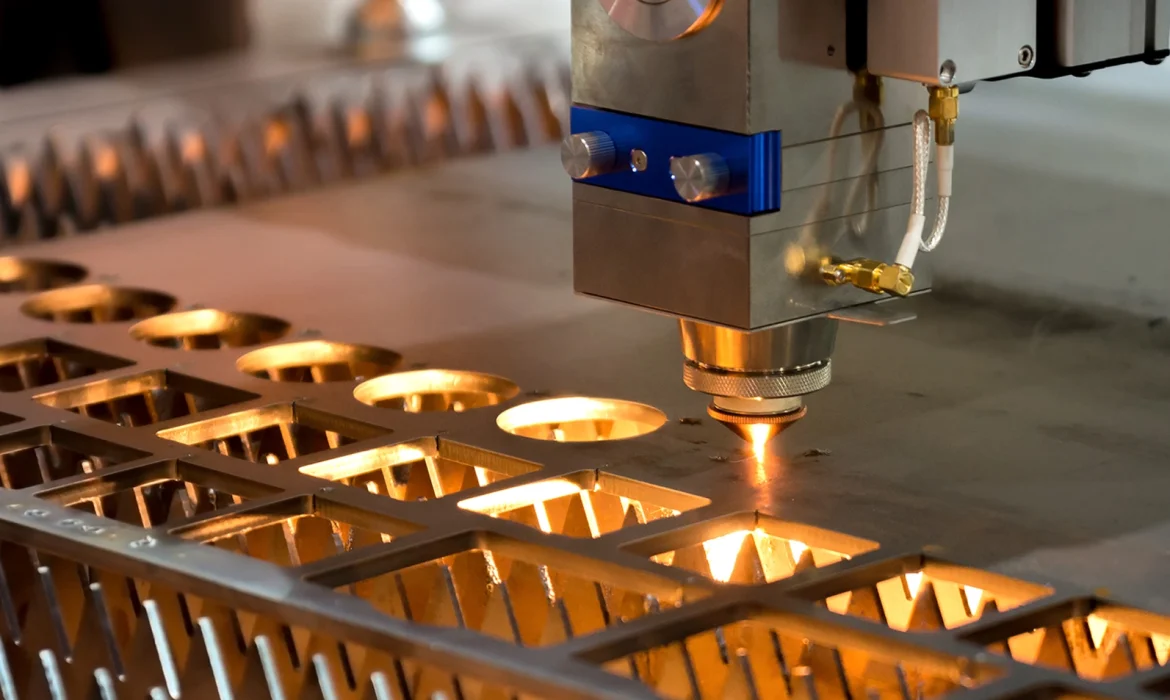
Understanding Laser Sources: Which is Right for Your CNC?
Selecting the right laser for CNC cutting isn’t about chasing the highest wattage; it’s about matching the wavelength to your material. In my experience, the “one-size-fits-all” approach leads to charred wood or reflected beams that can damage your optics. Whether you are looking for a laser module for CNC retrofitting or a dedicated industrial machine, you must understand these three primary technologies.
Diode Lasers: The Entry-Point for Engraving
A diode laser module is the most accessible way to start CNC laser cutting. These compact, solid-state units are typically mounted directly onto a laser router or a standard CNC machine.
- Best For: Engraving wood, leather, and dark plastics; cutting very thin materials (1mm–5mm).
- Pros: Low cost, compact size, and long lifespan (up to 25,000 hours).
- Cons: Limited optical output power; struggles with clear acrylic and reflective metals.
- Key Insight: Most “40W” diode lasers only output 5W–10W of actual cutting power. Always check the optical rating before buying.
CO2 Lasers: The Workhorse for Non-Metals
If you’re processing organic materials, the CO2 laser tube is the gold standard. It operates at a 10.6µm wavelength, which is absorbed incredibly well by wood, paper, and most plastics.
- Best For: Thick acrylic, wood fabrication, rubber, and glass etching.
- Performance: A 60W–100W CO2 setup can slice through 10mm–15mm acrylic with a flame-polished edge.
- Requirement: These require a water cooling system and mirrors to direct the beam, making them harder to “bolt on” to a standard CNC and laser engraver combo without a dedicated enclosure.
Fiber Lasers: The Industrial Standard for Metal
For high-speed sheet metal fabrication, nothing beats a fiber laser source. Unlike CO2, the fiber wavelength is easily absorbed by reflective metals like aluminum and brass.
- Best For: Stainless steel, carbon steel, aluminum, and brass.
- Precision: Offers the smallest kerf width and highest XY axis precision for intricate metal parts.
- Scalability: While a laser head for cnc machine setups in this category starts at a higher price point, the speed and lack of consumables make it the most cost-effective solution for high-volume production.
Comparison Table: Laser Technology vs. Material Fit
| Laser Type | Primary Material | Cutting Capability | Typical Application |
|---|---|---|---|
| Diode | Wood/Leather | Light (1-5mm) | DIY/Small Business |
| CO2 | Acrylic/Organics | Heavy (5-20mm) | Signage & Prototyping |
| Fiber | Metals/Alloys | Heavy (1-25mm+) | Industrial Production |
Key Technical Specifications That Actually Matter
When evaluating a laser for CNC cutting, the numbers on the spec sheet can be deceptive. You need to look past the marketing hype to understand what the machine can actually handle. The most common trap is confusing input power with output power. A machine might be listed as “40W,” but that often refers to how much electricity it draws, not the optical output power delivered to the workpiece. For professional fabrication, only the optical wattage counts.
Optical Power vs. Input Power
Input power measures energy consumption, while optical power measures actual cutting ability. If you are looking into heavy-duty CNC metal machining, you need high optical density to penetrate materials like stainless steel or titanium efficiently. Low optical power results in slow speeds, charred edges, and an inability to cut through thicker stock.
Spot Size and Beam Quality
The “spot size” determines your energy density. A smaller spot concentrates the laser’s energy, allowing for a narrower kerf width and finer detail.
- High Beam Quality: Results in consistent cutting capability across the entire work area.
- Focal Length: Shorter focal lengths are better for high-res engraving; longer focal lengths are superior for cutting through thick plates.
Wavelength Science: Why Material Matters
Not every laser cuts every material. This is due to wavelength absorption physics. For instance, a standard CO2 laser often bounces off bare aluminum because the wavelength doesn’t absorb well into the reflective metal surface, whereas a fiber laser source penetrates it instantly.
Wavelength Absorption Compatibility
| Material | CO2 Laser (10,600 nm) | Fiber Laser (1,064 nm) | Diode (450 nm) |
|---|---|---|---|
| Aluminum | Poor (Reflects) | Excellent | Poor |
| Carbon Steel | Good | Excellent | Poor |
| Acrylic/Wood | Excellent | Poor (Passes through) | Good (Dark colors) |
CNC Router Retrofit: Turning Your Mill Into a Laser Cutter
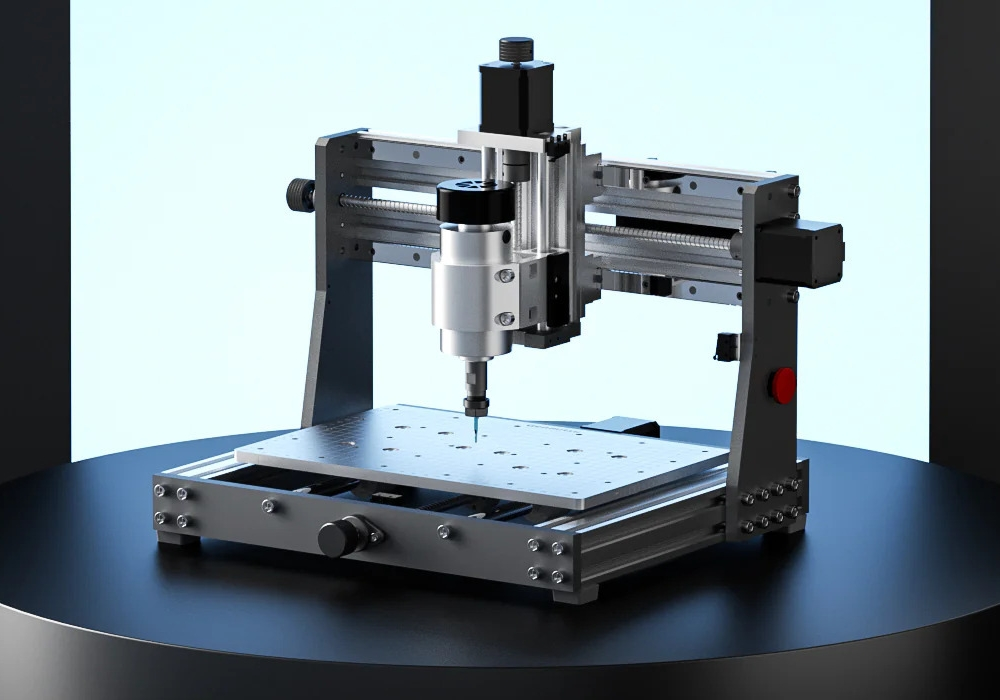
Retrofitting a cnc router and laser engraver combo is one of the fastest ways to expand your shop’s capabilities without the footprint of a second machine. However, a successful cnc router retrofit is more than just a “plug and play” upgrade; it requires a realistic look at your current hardware and electronics. Often, I find that a reverse engineering design process is necessary to create custom mounting brackets that align the laser head for cnc machine perfectly with your spindle’s center point.
Essential Hardware and Electronic Requirements
To get a laser for cnc cutting running effectively, your machine must meet specific technical benchmarks. The most common pitfall is ignoring the controller’s ability to communicate with the laser.
- Mounting Brackets: Must be rigid and heat-resistant to prevent the laser module for cnc from vibrating, which ruins your XY axis precision.
- Air Assist System: This is non-negotiable. Without a constant stream of air at the cut site, you’ll end up with charred edges and a ruined lens.
- Pulse Width Modulation (PWM): Your CNC controller must support PWM signals. This allows the software to throttle the laser’s power for gradients and clean corners rather than just firing at 100% all the time.
Conversion Checklist
| Feature | Requirement | Why It Matters |
|---|---|---|
| Controller | 0-5V or 0-12V PWM | Ensures proper G-code compatibility. |
| Power Supply | Dedicated 12V/24V | Prevents power sags during long cuts. |
| Cooling | Active Heatsink/Fans | Protects the diode from thermal runaway. |
| Z-Axis | Adjustable Focal Length | Necessary for focusing the beam on different material thicknesses. |
Safety Protocols and Environment
When you add a cnc a laser to your workflow, your safety needs change instantly. Unlike a router bit that stays contained, a laser beam can reflect. You must use OD4+ eye protection specifically rated for your laser’s wavelength. Furthermore, since you are burning material rather than chipping it, an enclosure with high-volume fume extraction is mandatory to remove toxic particulates from your workspace. Never run a laser retrofit in an open, unventilated garage.
Material Compatibility Matrix for CNC Laser Cutting
Choosing the right laser for CNC cutting starts with knowing exactly how your material
Precision and Tolerances in Laser CNC Machining
When utilizing a laser for CNC cutting, raw power isn’t the only metric that counts. Precision is what separates a hobby project from an industrial component. Achieving tight tolerances requires a deep understanding of how the laser interacts with the material and how the machine mechanics handle the toolpath.
Managing the Heat Affected Zone (HAZ)
The Heat Affected Zone (HAZ) is the area surrounding the cut where the material properties change due to intense thermal exposure. In professional fabrication, we minimize this discoloration and structural weakening through strict control of the kerf width and cutting speed.
- Pulse Management: Using precise pulse frequencies to limit heat accumulation.
- Gas Assist: High-pressure nitrogen or oxygen clears molten material instantly, keeping the edge cool.
- Speed Optimization: Moving the laser head fast enough to cut without lingering prevents excess heat transfer.
Achieving High-End Accuracy
While standard sheet metal work often accepts looser variances, high-performance manufacturing demands more. Advanced industrial setups rely on rigid gantries and closed-loop motors to maintain XY axis precision, capable of achieving ±0.01mm accuracy in specific production scenarios. This level of repeatability is essential when laser-cut parts must fit into complex assemblies or require secondary CNC milling services for added features like tapped holes or pockets.
The Role of Lead-ins and Lead-outs
Clean edges start with professional programming. Direct piercing on the part line leaves a visible “blowout” mark. To avoid this, we utilize Lead-ins and Lead-outs in the G-code compatibility settings.
- Lead-in: The laser pierces the scrap material first, then moves smoothly onto the cut line.
- Lead-out: The cut extends slightly past the closing point into the scrap to ensure the part drops free without a tab.
This technique ensures the finished contour is smooth and free of start/stop artifacts, meeting the strict cosmetic and dimensional standards required for professional delivery.
Software Ecosystem: From CAD to G-Code
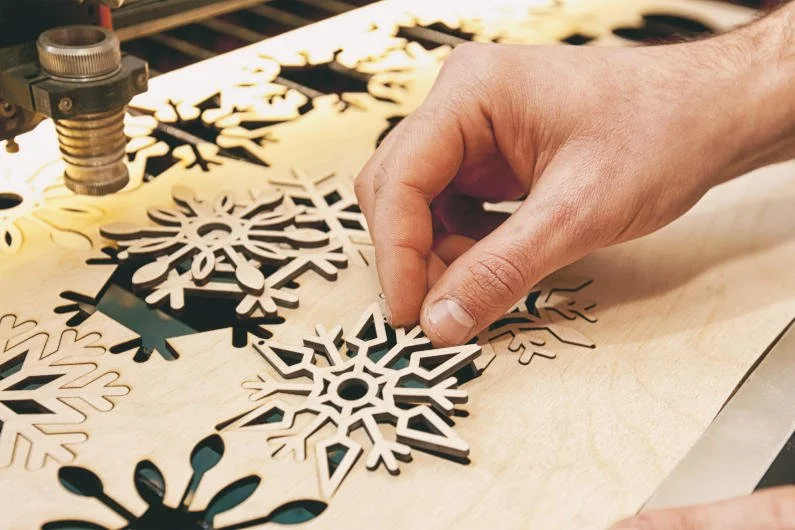
Hardware is only half the battle; the software defining your toolpaths dictates the quality of the final cut. Whether you are managing a CNC router retrofit or submitting files for professional manufacturing, understanding the digital workflow is essential for achieving tight tolerances.
LightBurn: The Gold Standard for Control
For operators running a laser module for CNC or a dedicated diode setup, LightBurn software has become the undisputed industry leader. It acts as both a layout editor and a machine controller, offering superior G-code compatibility across various firmware types like GRBL, Smoothieware, and Marlin. LightBurn allows you to precisely adjust power settings via Pulse Width Modulation (PWM), ensuring that engraving depth and cutting speed are perfectly synchronized.
- Key Features: Camera overlay for positioning, boolean operations, and native support for AI, PDF, and DXF files.
- Alternative: LaserGRBL serves as a robust, open-source alternative for Windows users. While it lacks the advanced design tools of LightBurn, it is a reliable streamer for sending G-code to the machine.
Industrial CAD/CAM Integration
When moving from prototyping to mass production, the workflow shifts to advanced CAD/CAM environments like SolidWorks or Fusion 360. At MS Machining, we utilize these powerful platforms to process the STEP and IGES files you upload for our instant quote system. This integration is critical for high-precision CNC machining, allowing us to simulate laser paths, optimize nesting to reduce material waste, and predict thermal distortion before the laser ever fires. This professional approach ensures that complex geometries in aluminum or stainless steel meet strict ISO 9001 quality standards.
The MS Machining Advantage: Why Professional Outsourcing Beats DIY
While attaching a laser module for CNC routers is a popular project for hobbyists, there is a massive gap between a garage setup and industrial manufacturing. When your project moves from a rough prototype to a commercial product, relying on a retrofitted CNC router machine often leads to production bottlenecks. At MS Machining, we provide the industrial power and reliability that desktop units simply cannot match.
The Physical Limitations of Desktop CNC Laser Modules
A standard diode or low-power CO2 laser tube mounted on a gantry lacks the optical power to cut through dense metals efficiently. These DIY setups struggle with sheet metal fabrication, often resulting in slow cutting speeds and substantial heat buildup. Without a high-pressure air assist system, the edges of materials like aluminum or stainless steel end up with dross and charring. In contrast, our industrial fiber lasers deliver the concentrated energy needed to slice through thick metals with a clean, vertical edge, eliminating the need for extensive post-processing.
Scale and Consistency: Moving to ISO 9001 Mass Production
Consistency is the main casualty when using a hobbyist laser for CNC cutting. Achieving tight tolerances across hundreds of parts is nearly impossible without a rigid, calibrated machine frame.
- ISO 9001:2015 Certification: We operate under strict quality management systems. Every part is inspected to ensure the kerf width and dimensions match your CAD files exactly.
- Integrated Manufacturing: Often, a part needs more than just 2D cutting. We can seamlessly move your components from the laser bed to secondary operations, such as creating complex features with our CNC milling parts service.
- Volume Flexibility: Whether you need a single prototype or a production run of 10,000 units, our workflow scales instantly to meet demand.
Cost-Benefit Analysis: Maintenance, Gas, and Downtime
Running an industrial laser is expensive. The overhead includes sourcing assist gases (oxygen or nitrogen), maintaining the fiber laser source, and managing optics alignment. By outsourcing to us, you avoid these capital expenditures and maintenance headaches. You don’t need to worry about G-code compatibility or machine downtime; you simply upload your design for an instant quote. We handle the entire fabrication lifecycle, delivering finished parts in as little as 3–7 days, so you can focus on product development rather than machine repair.
Laser for CNC Cutting FAQ
Can I add a laser module to any CNC router?
Yes, most standard CNC routers can be retrofitted with a diode laser module or a dedicated laser head for CNC machine. The controller usually needs to support Pulse Width Modulation (PWM) to manage the laser’s intensity. However, just because you can mount it doesn’t mean you get industrial results. A CNC router retrofit often lacks the speed and XY axis precision required for mass production, making it better suited for hobbyist engraving rather than professional manufacturing.
What is the best laser for cutting thick steel?
For cutting thick carbon or stainless steel, a high-power Fiber laser source is the undisputed industry standard. Unlike CO2 or diode options, fiber lasers deliver the intense optical output power needed to pierce dense metals efficiently. If your project involves complex aluminum CNC machining or heavy sheet metal fabrication, relying on industrial fiber systems ensures clean edges and minimal thermal distortion.
Do I need special software to run a CNC laser?
You generally cannot use standard milling CAM software effectively for laser work. You need software that ensures proper G-code compatibility for laser-specific functions like dynamic power scaling and raster scanning. LightBurn software is widely considered the gold standard for controlling a CNC laser cutter, offering advanced features like kerf width offset and layer management. For basic setups, open-source options like LaserGRBL can handle simple vector paths.
Is fiber laser better than CO2 for engraving?
It depends entirely on the material. A fiber laser is superior for marking and engraving metals because the wavelength is absorbed well by the material. Conversely, a CO2 laser tube is the workhorse for organic materials like wood, acrylic, and leather. Using the wrong source, like trying to cut clear acrylic with a diode or fiber laser, will result in poor absorption and failed cuts. For professional parts, managing the Heat Affected Zone (HAZ) is critical, which is why we select the specific laser technology best suited for the substrate.